Anemometer
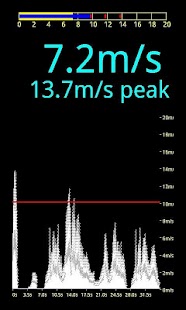
Dieser Algorithmus ermöglicht es, herauszufiltern, die meisten Geräusche, so dass die menschliche Stimme oderRauschen der Bäume im Wind haben keinen Einfluss auf die Messgenauigkeit.Vor dem Start zu nutzen setzen Sie bitte Null Wind Ebene: Halten Sie Ihr Gerät im Silent No-Wind-Bedingungenund drücken Sie "Set Zero" Element in Menü.
Der Wert im persistenten Speicher gespeichert werden, so brauchen Sie nicht zutun es oft.
Wenn Sie jedoch das Gefühl, dass Null-Pegel falsch aus irgendeinem Grund ist - gerade wieder tun.Die Linearität und Kalibrierung sind für Samsung Galaxy S, andere Geräte gewährleistetkönnen Abweichungen von der linearen Reaktion zu zeigen.
Mit Vorsicht!Die Anwendung wird auf der Grundlage der Einsiedler Bibliotheken von Moonblink (http://code.google.com/p/moonblink/) erstellt.
Dieses Programm wird OHNE IRGENDEINE GARANTIE verteilt!
Das Programm ist getestet, um korrekt funktionieren zu einer Reihe von Android-Geräten.Jedoch fand ein Telefon als nicht kompatibel:Samsung Galaxy Ace GT-S5830i.
Es kann immer noch ein Problem von einem bestimmten Telefon sein, wenn Sie also dieses Modell haben - versuchen Sie, haben Sie 15 min.
um es zu deinstallieren und bekommen Geld zurück.
About Anemometer
- Package name (App ID)
- org.livelocalizer.anemometer
- Available on
- Google Play
- Price
- Free
- Version
- v1.4
- Developer
- Windfinder
Looking for the Anemometer APK?
The safest way to get Anemometer (org.livelocalizer.anemometer) on your Android device is to install it directly from Google Play — you'll always get the latest official version, automatic updates, and no risk of modified or infected APK files from third-party sites.
Secure & Private
Your data is protected with industry-leading security protocols.
24/7 Support
Our dedicated support team is always ready to help you.
Personalization
Customize the app to match your preferences and workflow.
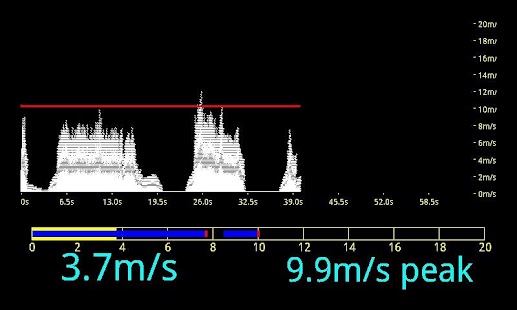
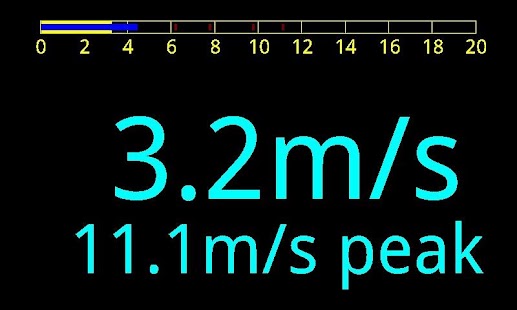
Anemometer in Aktion sehen
Frequently Asked Questions
Is Anemometer free?
Yes, Anemometer is free to download and install on Android through Google Play.
How do I install Anemometer on Android?
Open Google Play on your Android phone or tablet, search for Anemometer by Windfinder or tap the Google Play button on this page, then tap Install. The app downloads and installs automatically.
What is org.livelocalizer.anemometer?
org.livelocalizer.anemometer is the App ID (package name) of Anemometer on Google Play. Every Android app has a unique package name, and it is the safest way to verify you are installing the official app.
Is Anemometer safe to download?
Installing Anemometer from Google Play is the safest option: you get the official version published by Windfinder, verified by Google Play Protect, with automatic updates. Avoid APK files from unofficial third-party sites.
Get Anemometer Today
Anemometer for Android — free download on Google Play.
Compatible with Android phones and tablets — available on Google Play.
Frag die KI zu dieser App
Erhalte sofortige Antworten zu Funktionen, Tipps und mehr.