Anemometer
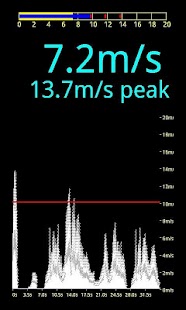
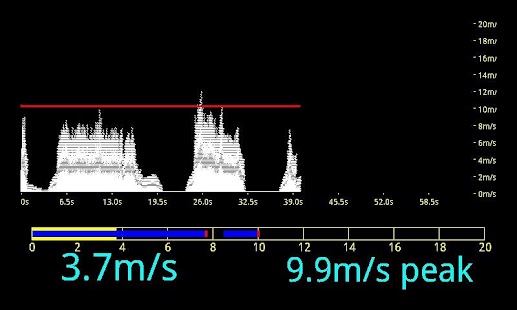
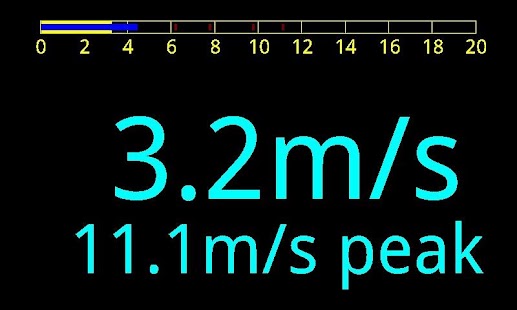
It is a wind speed meter in your pocket.The app is useful for people, doing outdoor activities depending on the wind,such as paragliding, kite surfing or sailing.This wind speed meter uses quite sophisticated algorithm to extract wind speed range from zero up to about 15m/s, dependingon the device.
This algorithm allows to filter out most of sounds, so that human voice, ornoise of trees on the wind do not affect measurement accuracy.Before starting to use anemometer please set zero wind level: hold your device in silent no-wind conditionsand press "Set zero" item in menu.
The value will be stored in persistent memory, so you don't need todo it often.
However, if you feel that zero level is wrong for some reason - just re-do it.New method of anemometer calibration is added:put phone side by side with the reference anemometer instrument to a constant air flow, click on Menu-Calibration Point and enter wind speed, measuredby reference device.
Calibration constant will be re-calculated automatically.
When the anemometer is stopped measured data is saved to file (10 points per second).
Directory Anemometer is created when you launch application for the first time.Data files are located in this directory, names start from W and contain date and time of saving.Saving data can be also forced during measurement by swiping the screen.
The linearity and calibration of wind speed meter are ensured for Samsung Galaxy S, other devicesmay show deviations from linear response.
Use with caution!
The application is created on the basis of Hermit libraries by MoonBlink (http://code.google.com/p/moonblink/).
This program Anemometer is distributed WITHOUT ANY WARRANTY!
About Anemometer
- Package name (App ID)
- org.livelocalizer.anemometer
- Available on
- Google Play
- Price
- Free
- Version
- v1.4
- Developer
- Windfinder
Looking for the Anemometer APK?
The safest way to get Anemometer (org.livelocalizer.anemometer) on your Android device is to install it directly from Google Play — you'll always get the latest official version, automatic updates, and no risk of modified or infected APK files from third-party sites.
Music Features
Enjoy high-quality music streaming and playback features.
Productivity Tools
Boost your productivity with powerful tools and features.
Food & Dining
Discover recipes and order food from your favorite restaurants.
See Anemometer in Action
Frequently Asked Questions
Is Anemometer free?
Yes, Anemometer is free to download and install on Android through Google Play.
How do I install Anemometer on Android?
Open Google Play on your Android phone or tablet, search for Anemometer by Windfinder or tap the Google Play button on this page, then tap Install. The app downloads and installs automatically.
What is org.livelocalizer.anemometer?
org.livelocalizer.anemometer is the App ID (package name) of Anemometer on Google Play. Every Android app has a unique package name, and it is the safest way to verify you are installing the official app.
Is Anemometer safe to download?
Installing Anemometer from Google Play is the safest option: you get the official version published by Windfinder, verified by Google Play Protect, with automatic updates. Avoid APK files from unofficial third-party sites.
Get Anemometer Today
Anemometer for Android — free download on Google Play.
Compatible with Android phones and tablets — available on Google Play.
Ask AI about this app
Get instant answers about features, tips and more from popular AI assistants.